How to reset my VPN password?
Situation
You forget your VPN password or want to reset your key and password.
Solution
In your welcome email, you will get your Static IP along with your VPN connection, as shown in the screenshot:
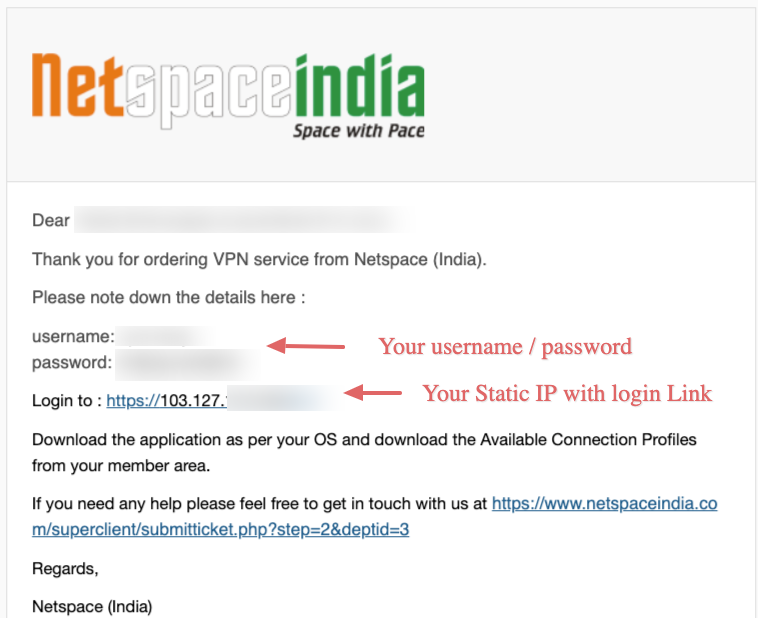 Your welcome email with Static IP details
You can log in to your panel from https://YourIP:943, this link will take you to a login screen.
Note: In the event you get a warning message like "this page is not secure", then click on Advanced >> Continue
Once logged in, you will be shown an app download page, at the bottom of the page you will notice a change password link.
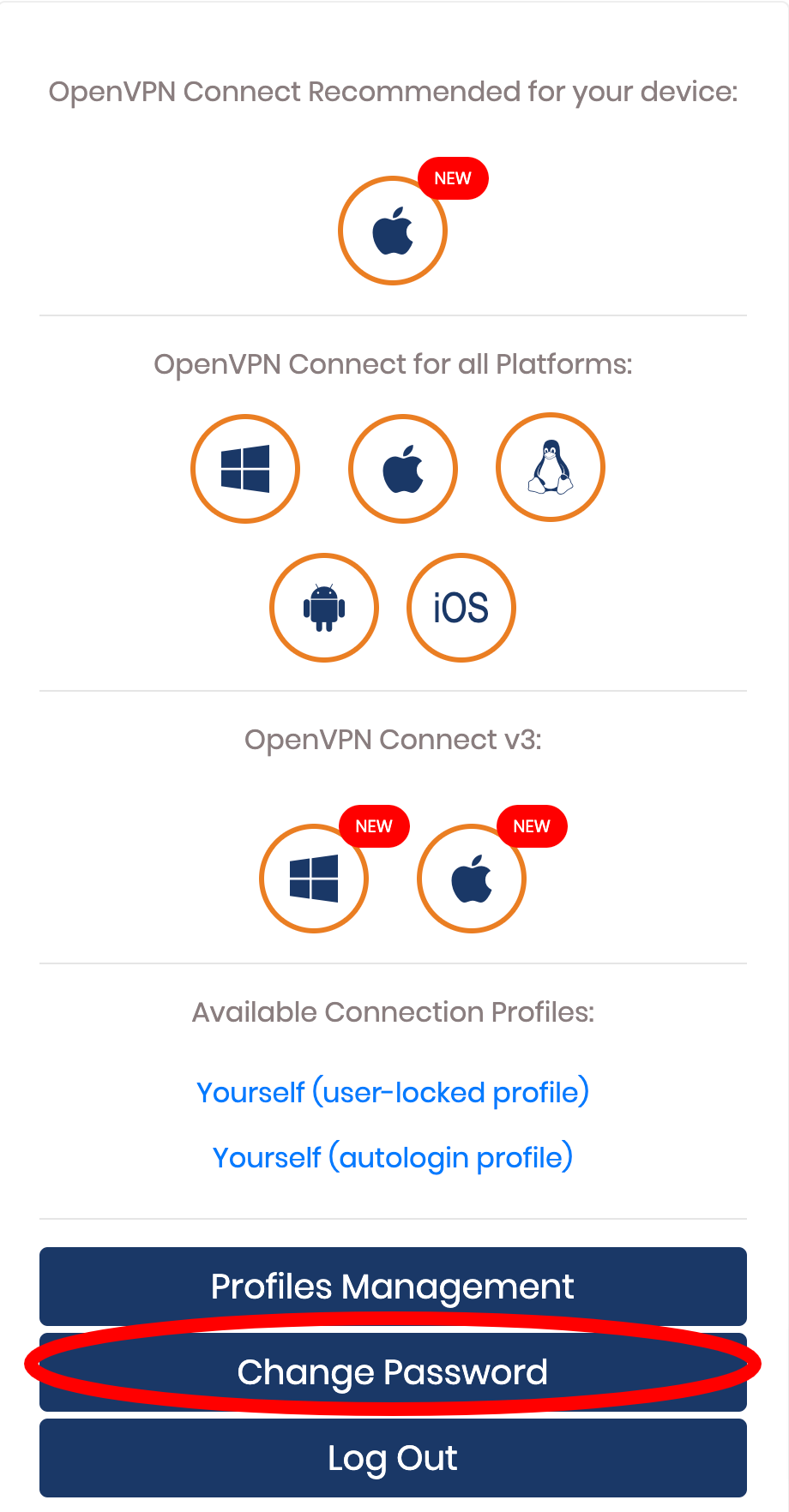 Change password option at the bottom of the page
Once the password is changed you need to re-download the key (Yourself (autologin profile)) and import it to your VPN software.
Was this article helpful?
100% of readers found this helpful